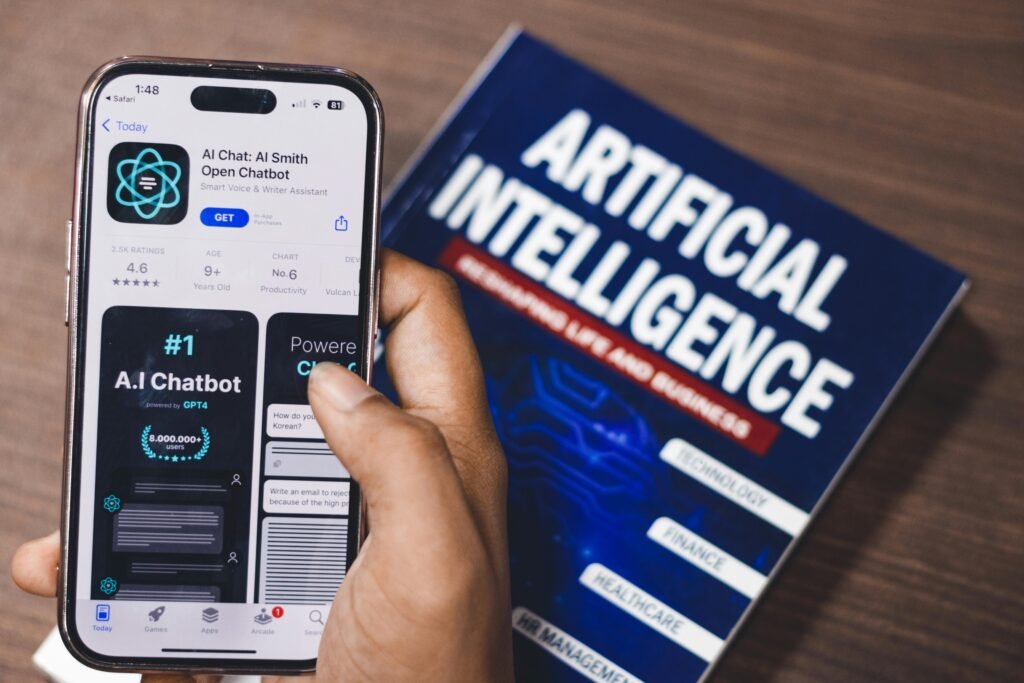
Many AI tools promise faster work and higher productivity, but in reality they often create more distractions. Constant notifications, feature overload, and endless experimentation can interrupt deep focus and reduce efficiency.
The problem is not AI itself — it is how tools are integrated into daily workflows.
This guide explores the most effective AI productivity tools for focus, explains how they work, compares their strengths, and shows how to combine them into a practical productivity system without overwhelming your workflow.
Why Most AI Tools Reduce Focus Instead of Improving It
Without a clear structure, AI tools can:
- increase cognitive overload
- fragment attention across multiple platforms
- create decision fatigue
- generate unnecessary tasks
A focused AI tool stack should reduce decisions, simplify workflows, and support deep work — not replace it.
Overview: Best AI Productivity Tools for Focus
The following tools are widely used to improve focus and structured work:
- Notion AI — structured thinking and knowledge management
- ChatGPT — problem-solving and clarity
- Motion — intelligent task scheduling
- RescueTime — focus tracking and behavioral insights
Each tool plays a different role in a balanced productivity system.
1. Notion AI — Structured Thinking and Knowledge Organization
Best for: organizing ideas, notes, and projects
Official site: https://www.notion.so
Notion AI is most effective when used as a thinking assistant rather than a content generator.
Key benefits
- summarizing long notes
- transforming messy ideas into structured outlines
- breaking complex tasks into actionable steps
Typical use cases
- planning projects
- organizing research
- managing personal knowledge
Notion AI helps maintain focus by keeping thinking and organization in one environment, reducing context switching.
Recommended internal resource:
👉 Read more: AI Productivity Tools That Help You Stay Focused (Not Distracted)
2. ChatGPT — Focused Problem-Solving and Decision Support
Best for: clarifying ideas and reducing mental overload
Official site: https://chat.openai.com
ChatGPT is often seen as a distraction tool, but when used strategically, it improves focus.
Best practices for focused use
- ask one specific question at a time
- avoid overly broad prompts
- use AI to narrow options, not explore endlessly
Typical use cases
- turning vague goals into clear next steps
- simplifying complex concepts
- creating structured summaries
ChatGPT acts as a cognitive assistant that reduces mental friction and accelerates decision-making.
Recommended internal resource:
👉 Related guide: AI Workflow for Content Creation: Tools, Steps, and Real Use Cases
3. Motion — AI-Powered Task Scheduling
Best for: protecting deep work time
Official site: https://www.usemotion.com
Motion automatically schedules tasks based on priorities, deadlines, and availability.
Key benefits
- automatic daily planning
- reduced decision fatigue
- optimized time allocation
Motion is particularly useful for people who struggle with constant task switching or manual planning.
Typical use cases
- managing complex schedules
- prioritizing tasks
- protecting focus blocks
4. RescueTime — Focus Tracking and Behavioral Insights
Best for: understanding productivity patterns
Official site: https://www.rescuetime.com
RescueTime does not automate work but provides data-driven insights into how time is spent.
Key benefits
- tracking focused vs distracting activities
- identifying productivity patterns
- improving self-awareness
Typical use cases
- analyzing work habits
- optimizing daily routines
- identifying distraction sources
RescueTime complements AI tools by revealing where automation is helpful and where behavioral changes are needed.
Comparison Table: AI Productivity Tools for Focus
| Tool | Best Use Case | Key Strengths | Limitations |
|---|---|---|---|
| Notion AI | Knowledge organization | structured thinking, task breakdown | requires setup |
| ChatGPT | Problem-solving | fast insights, clarity | depends on prompt quality |
| Motion | Task scheduling | automated planning | paid tool |
| RescueTime | Focus tracking | behavioral data | no automation |
How to Combine These Tools Into a Focused AI Workflow
A simple productivity-focused AI workflow:
| Stage | Tool | Purpose |
|---|---|---|
| Planning | Notion AI | structure ideas and tasks |
| Decision support | ChatGPT | clarify priorities and options |
| Scheduling | Motion | optimize daily tasks |
| Monitoring | RescueTime | analyze focus and distractions |
| Review | Human | adjust workflow and goals |
This system reduces cognitive load while maintaining control over tasks.
Example: Real AI Productivity Workflow
- Use Notion AI to organize ideas and define tasks
- Use ChatGPT to clarify priorities and simplify decisions
- Use Motion to schedule tasks automatically
- Use RescueTime to analyze focus patterns
- Adjust workflow based on insights
Recommended internal resource:
👉 Full guide: [Your internal article about AI workflow for content creation or productivity]
Common Mistakes When Using AI Productivity Tools
1. Using too many tools
More tools often increase distraction instead of productivity.
2. Automating everything
Over-automation reduces flexibility and increases errors.
3. Ignoring behavioral data
Without tracking focus patterns, productivity improvements are temporary.
4. Treating AI as a replacement for thinking
AI should support decision-making, not replace it.
SEO and Productivity Benefits of Focused AI Tools
When used correctly, AI productivity tools can:
- improve concentration and deep work
- reduce decision fatigue
- streamline workflows
- increase consistency and efficiency
A focused tool stack leads to better productivity and sustainable work habits.
FAQ: AI Productivity Tools and Focus
What are the best AI tools for staying focused?
Notion AI, ChatGPT, Motion, and RescueTime are among the most effective tools for improving focus.
Can AI tools reduce distractions?
Yes, but only when integrated into structured workflows.
Do I need multiple AI productivity tools?
Not necessarily. A small, well-chosen set of tools often works better than many overlapping solutions.
Are AI productivity tools worth it?
Yes, if they reduce cognitive load and simplify decision-making rather than adding complexity.
Conclusion
AI productivity tools are most effective when they reduce distractions and simplify workflows, not when they add complexity.
Using Notion AI for structured thinking, ChatGPT for clarity and decision support, Motion for scheduling, and RescueTime for behavioral insights creates a balanced productivity system that supports focus and sustainable performance.
Instead of chasing every new AI tool, building a focused and intentional tool stack leads to better results and long-term productivity.