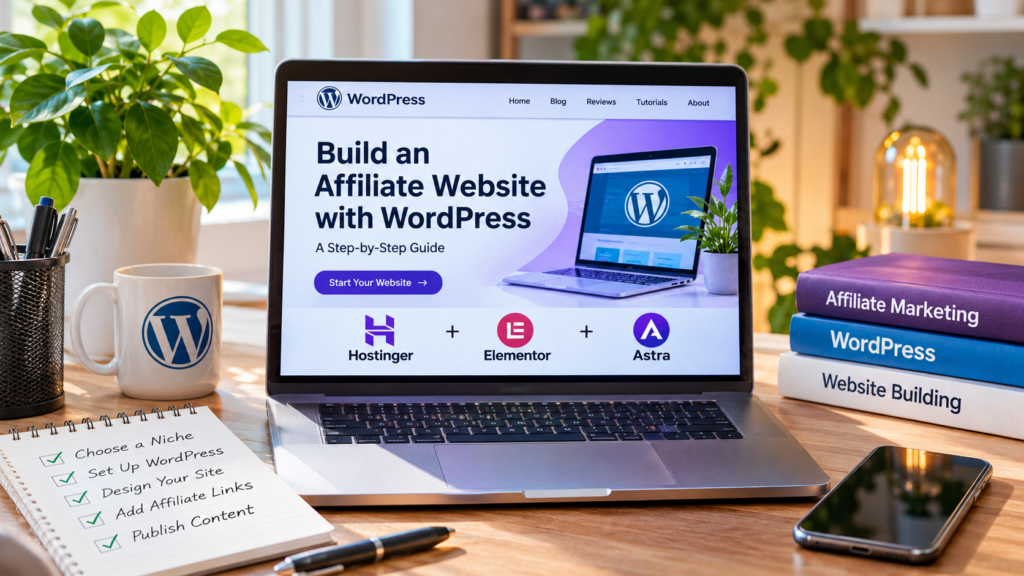
Affiliate marketing is one way to earn money online by recommending products and services through your website. Instead of creating your own products, you publish useful content, introduce readers to relevant solutions, and earn a commission when someone completes a qualifying purchase or action through your affiliate link.
A website gives you a place to build this business over time. You can publish product reviews, comparisons, tutorials, buying guides, and educational articles that attract visitors from search engines and other channels.
However, starting an affiliate website involves more than adding a few referral links to blog posts. You need a suitable niche, a domain name, reliable hosting, a professional website design, useful content, and a strategy for attracting visitors.
WordPress is a popular option because it allows you to build and manage a content-focused website without developing everything from scratch. You can choose from thousands of themes and plugins, customize the design, and expand the site as your content grows.
You can also simplify the setup process with tools such as Hostinger, which offers WordPress hosting and an AI website creation workflow, and Elementor, which provides a visual editor and AI-assisted website-building features.
In this guide, you will learn how to build an affiliate marketing website with WordPress, how to organize its pages, how to find affiliate programs, how to add referral links, and how to develop a content strategy that can attract potential customers.
The objective is not to promise instant income. An affiliate website is a long-term publishing project, and its results depend on the quality of its content, the relevance of its recommendations, the traffic it attracts, and whether visitors trust the information you provide.
1. What Is an Affiliate Marketing Website?
An affiliate marketing website is a website that publishes content containing links to products or services offered by other companies. These links contain tracking information that allows the affiliate program to identify referrals.
When a visitor clicks an affiliate link and completes an eligible action, the website owner may receive a commission. The qualifying action depends on the program. It might be a purchase, a subscription, a registration, or another conversion defined by the advertiser.
For example, imagine that you run a website about AI tools. You publish an article comparing several AI video generators. One section recommends a particular tool and includes your affiliate link.
A reader visits the article, decides that the tool meets their requirements, clicks your link, and purchases a subscription. If the transaction qualifies under the affiliate program’s terms, you may receive a commission.
The important distinction is that you are not paid simply because you mention a product. Most programs require a qualifying conversion.
How affiliate websites make money
Affiliate websites can earn commissions through several types of partnerships.
| Affiliate model | How it works | Example |
|---|---|---|
| Pay per sale | You earn when a referred customer purchases a product | Software subscriptions, hosting |
| Recurring commission | You receive commissions on qualifying recurring payments | Some SaaS subscriptions |
| Pay per lead | You earn when a visitor completes an approved action | Applications or registrations |
| Pay per action | You receive payment for a defined conversion | A trial registration or booking |
Not every affiliate program uses the same model. Some offer one-time commissions, while others provide recurring payments or different rates depending on the product.
Before joining a program, review its commission structure, cookie duration, payment conditions, prohibited promotional methods, and rules for using affiliate links.
Affiliate marketing website vs. ordinary blog
An ordinary blog may focus primarily on sharing information, personal experiences, news, or opinions. An affiliate website usually has a more deliberate commercial content strategy.
For example, it might publish:
- Product reviews.
- Software comparisons.
- Best-of lists.
- Tutorials showing how to use specific products.
- Buying guides.
- Alternatives to popular tools.
- Articles explaining how to solve a problem with a particular service.
This does not mean every article should contain affiliate links. Educational content without direct product recommendations can also attract visitors and build credibility.
A good affiliate website helps readers make informed decisions. Its commercial purpose should not replace the usefulness of its content.
2. Choose a Profitable Affiliate Marketing Niche
Choosing a niche is one of the most important decisions when starting an affiliate website.
A niche defines the main subject of your website and the audience you want to attract. It also influences which affiliate programs you can join, what types of articles you publish, and how competitive your website will be.
A broad website covering every possible product may be difficult to develop because its content lacks a clear focus. A more specific subject makes it easier to build topical relevance and attract an audience with related interests.
For example, instead of creating a general website about making money online, you could focus on AI tools for content creators, software for small businesses, or WordPress tools for website owners.
Popular affiliate marketing niches
| Niche | Potential affiliate products | Content opportunities |
|---|---|---|
| AI tools | AI writing, video, voice, and automation software | Reviews, tutorials, comparisons |
| WordPress | Hosting, themes, plugins, website builders | Setup guides, reviews, troubleshooting |
| Productivity | Task managers, automation tools, software | Workflow tutorials, comparisons |
| Graphic design | Design software, templates, creative tools | Tutorials, tool recommendations |
| Video creation | Video editors, AI generators, voice tools | YouTube guides, software reviews |
| E-commerce | Store platforms, payment tools, marketing software | Store setup, platform comparisons |
| Online education | Learning platforms and course tools | Course reviews, learning guides |
The existence of affiliate programs does not automatically make a niche profitable. You also need an audience interested in the products and enough useful topics to publish consistently.
How to choose the right niche
Start by identifying subjects you understand or are willing to research in depth. You do not necessarily need to be an expert from the beginning, but you should be able to evaluate products critically and explain their advantages and limitations.
Then investigate the commercial opportunities.
Consider these questions:
- Are there relevant affiliate programs in this niche?
- Do people actively search for information about these products?
- Can you create original tutorials and comparisons?
- Are there enough related topics for a long-term content strategy?
- Can you offer useful information that existing websites do not already provide?
You should also examine the competition. Search for the main keywords you want to target and review the websites already ranking for them.
If the search results are dominated by established publications with extensive editorial resources, competing for broad keywords may be difficult. More specific search queries can provide a more realistic starting point.
Why a focused website is often better
A website about AI tools for YouTube can publish articles about AI voice generators, video editors, screen recording, content planning, and thumbnail creation.
These topics are related, and readers interested in one article may also find other articles useful.
This creates opportunities for internal linking and allows you to develop a connected library of resources rather than a collection of unrelated posts.
You can expand into adjacent topics later, but it is generally easier to establish a clear identity first.
3. Choose a Domain Name for Your Affiliate Website
A domain name is the web address people use to access your website. It also becomes part of your brand, so it is worth choosing carefully.
A good domain should be relatively short, easy to remember, and relevant to the subject of your website.
For example, a website about AI software might use a brand-oriented name rather than a domain containing a very specific product name. This gives you more flexibility if your content expands into other software categories.
Tips for choosing a domain name
- Keep it relatively short and easy to spell.
- Avoid unnecessary hyphens and complicated combinations of words.
- Choose a name that can accommodate future topics.
- Check whether the corresponding social media usernames are available.
- Make sure the name does not conflict with an existing brand or trademark.
- Choose an extension appropriate for your audience.
A .com domain is familiar to many international visitors, but other extensions may also be suitable depending on your brand and target market.
Do not spend too much time trying to find a domain that contains your exact focus keyword. A memorable brand name is usually more flexible than a domain built around one search phrase.
4. Buy Hosting and Install WordPress
After choosing your domain, you need hosting.
Web hosting is the service that stores your website’s files and makes them accessible online. Every self-hosted WordPress website needs a hosting provider.
One option worth considering is Hostinger.
Hostinger offers WordPress hosting and provides tools designed to simplify website setup. Its current AI Website Builder for WordPress can generate a starting website from a description, including pages, a theme, colors, and content. You can then continue editing the site through WordPress. https://www.hostinger.com/support/how-to-use-hostinger-ai-website-builder-for-wordpress/
What to consider when choosing hosting
Do not select a hosting plan based only on its introductory price.
Compare the following:
| Factor | Why it matters |
|---|---|
| Renewal price | Promotional pricing may differ from the regular renewal cost |
| Performance | Hosting affects how quickly your website responds |
| Storage | Your site needs space for WordPress files, images, and other content |
| Backups | Backups help you recover from certain technical problems |
| Security | Look for appropriate security features and support |
| Support | Helpful technical support can save time when problems occur |
| WordPress compatibility | Check that the plan supports your intended WordPress setup |
| SSL certificate | HTTPS is important for secure connections |
Also check what is included in the plan and whether particular features require an additional purchase.
How to install WordPress with Hostinger
The exact interface may change, but a typical setup process looks like this:
Step 1: Choose a hosting plan.
Visit Hostinger and review the available WordPress hosting options.
Choose a plan based on the resources and features your website needs. A new content website usually does not require the same hosting configuration as a large online store.
Step 2: Register or connect your domain.
Choose a domain name or connect one you already own. Check the registration and renewal conditions before completing the purchase.
Step 3: Create your WordPress website.
Follow the setup instructions in your hosting account. If you choose the AI website creation option, you may be asked to describe the type of website you want to build.
For example:
“Create a professional affiliate marketing website about AI tools for content creators. Include a homepage, blog, category pages, About page, and Contact page. Use a clean, modern design with clear navigation and space for product reviews.”
Treat the generated result as a starting point. Review the structure, replace generic text, and make sure the pages reflect your actual website.
Step 4: Access the WordPress dashboard.
Once installation is complete, log in to the WordPress administration area.
You will use this dashboard to publish articles, manage pages, install themes and plugins, and configure your website.
Step 5: Check the basic settings.
Set the website title, tagline, preferred language, time zone, and permalink structure.
For most content websites, a readable permalink structure based on post names is a practical choice.
You should also check that your website uses HTTPS and that the main pages are accessible.
Is Hostinger AI Website Builder necessary?
No. You can install WordPress and build the website manually.
AI website generation is useful when you want to create an initial structure quickly, but the generated content and design should not be published without review.
If you want complete control over every page, you can start with a theme and build the website using WordPress tools such as the block editor or Elementor.
5. Design Your Affiliate Website With Elementor
Once WordPress is installed, you need to create a website that is easy to navigate and comfortable to read.
Design matters because visitors should be able to understand what your website offers, find relevant articles, and move between related pages without confusion.
Elementor is a visual website builder for WordPress. It provides a drag-and-drop editor, templates, widgets, and tools for customizing page layouts.
Its current platform also includes AI-assisted features for generating page layouts, text, images, and code. Generated layouts remain editable in the Elementor editor. Some advanced capabilities depend on the plan or additional features. https://elementor.com/products/website-builder/
Why use Elementor for an affiliate website?
Elementor can be useful when you want more control over the appearance of your homepage, category pages, product review layouts, and other important sections.
For example, you can create a homepage with a clear introduction, featured categories, recent articles, and selected guides. You can also design a reusable layout for product reviews so that your articles have a consistent structure.
Other useful possibilities include:
- Custom headers and footers.
- Article and category layouts.
- Buttons linking to recommended products.
- Comparison sections.
- Contact forms.
- Reusable page sections.
- Responsive layouts for mobile devices.
You do not need to use every available feature. A simple website with clear navigation and readable content is often more effective than a complicated design filled with animations and decorative elements.
How to create your website with Elementor
Step 1: Install Elementor.
Open your WordPress dashboard and navigate to the Plugins section. Search for Elementor and install the appropriate plugin.
Activate it after installation.
Step 2: Choose a page to edit.
Create a new page or open an existing one. Select the option to edit it with Elementor.
The visual editor allows you to add and arrange content elements directly on the page.
Step 3: Build the homepage structure.
Start with the most important sections:
- A clear headline explaining the website’s subject.
- A short introduction to your content.
- Links to the main categories.
- Featured guides or reviews.
- Recent articles.
- A useful footer with important links.
Avoid filling the homepage with too many unrelated elements. Its primary purpose is to help visitors understand the website and discover useful content.
Step 4: Customize the design.
Choose consistent fonts, colors, spacing, and image styles.
Use a limited color palette and make sure text has sufficient contrast against the background. Buttons should clearly communicate what happens when someone clicks them.
Step 5: Check the mobile layout.
Many visitors will access your website from smartphones. Check that headings fit the screen, images scale correctly, navigation is usable, and buttons are easy to tap.
Step 6: Publish and review.
Preview the page before publishing. Test the links, navigation, and responsive layout.
If you use Elementor’s AI tools, review all generated content and design elements before making the page public.
Is Elementor free?
Elementor offers a free plugin, as well as paid plans with additional capabilities. The features available to you depend on the current plan.
For example, advanced Theme Builder functionality, dynamic content, and some professional design features may require a paid subscription.
Check the current Elementor plans before purchasing. You do not necessarily need a paid plan to create a basic affiliate website.
Try Elementor: Build your WordPress website.
6. Choose a WordPress Theme: Astra
A WordPress theme controls important aspects of your website’s appearance and layout.
One option is Astra, a theme developed by Brainstorm Force. Astra is available in the WordPress theme directory as a free theme with additional paid upgrades. It is designed to work with page builders, including Elementor. https://wordpress.org/themes/astra/
Why consider Astra?
Astra can provide a lightweight starting point for a content-focused website. It includes customization options and supports different types of websites, from blogs to business websites and online stores.
For an affiliate website, a theme should make it easy to present articles, categories, navigation, and important information.
You may want to consider Astra if:
- You want a flexible WordPress theme.
- You plan to use Elementor for page design.
- You prefer starting from a ready-made layout.
- You want to customize the header, footer, and general appearance.
- You need a theme that can support different types of content.
Astra and Elementor: Do You Need Both?
Not necessarily, but they serve different purposes.
Astra is a theme that provides the website’s overall framework and styling. Elementor is a page builder that lets you create and customize page layouts.
They can work together, but you should avoid adding unnecessary tools.
If you already have a theme that meets your requirements, there is no reason to change it simply because another theme is popular.
You can also start with a free theme and upgrade later if you discover that you need additional design features.
7. Create the Essential Pages for Your Affiliate Website
Before publishing dozens of articles, create the basic pages that help visitors understand who operates the website and how it works.
These pages also make your website more complete and easier to navigate.
Homepage
Your homepage should explain the website’s main subject and guide visitors toward useful content.
For example, an affiliate website about AI tools could feature categories such as AI video tools, AI voice generators, productivity software, and website-building tools.
You can also highlight important guides and recently published articles.
About Page
The About page explains what your website covers and what readers can expect.
You do not need to write a long personal story if the website is not based on a personal brand. Instead, explain the editorial focus, the types of products you review, and how you approach recommendations.
Avoid claiming years of experience or product testing if those statements are not true.
Contact Page
Give readers a way to contact you.
A contact form or professional email address can be sufficient for a small website. Make sure the contact details are current and that submitted information is handled appropriately.
Privacy Policy
A privacy policy explains how your website handles personal information.
Depending on your location, audience, analytics tools, advertising services, and other integrations, you may need to explain the use of cookies, third-party services, and data collection.
If your website targets visitors in the European Union, pay particular attention to applicable GDPR and ePrivacy requirements. A generic template may not cover every situation.
Affiliate Disclosure
Visitors should be able to understand that your website may earn commissions from certain links.
You can include a disclosure page and also place a short disclosure near affiliate recommendations or at the beginning of relevant articles.
For example:
“Some links on this website are affiliate links. If you purchase a product or sign up for a service through these links, we may earn a commission at no additional cost to you.”
The wording should accurately describe your actual affiliate relationships.
Terms and Conditions
A terms page can explain the general rules for using your website and the limitations of the information you publish.
The specific content depends on the website’s activities and applicable legal requirements.
8. Build a Clear Structure for Your Affiliate Website
A well-organized website makes it easier for visitors to find information and helps search engines understand how your content is related.
Do not publish articles randomly. Organize them into logical categories based on the subjects your audience is interested in.
For example, an affiliate website about AI and online business could use the following structure:
| Category | Example articles |
|---|---|
| AI Tools | Best AI Tools for Content Creators |
| AI Video | Best AI Video Generators, Fliki Review |
| AI Voice | Best AI Voice Generators, ElevenLabs Review |
| YouTube | How to Create a Faceless YouTube Channel With AI |
| WordPress | How to Build a WordPress Website With AI |
| Productivity | Best AI Productivity Tools |
| Online Business | How to Start an Affiliate Marketing Website |
Each category should contain articles that are genuinely related.
Use internal links between articles
Internal links connect one page of your website to another.
For example, an article about AI voiceovers can link to your ElevenLabs review. An article about creating YouTube videos can link to your Fliki tutorial.
This helps readers discover related resources without returning to the homepage.
Internal linking also helps search engines discover pages and understand the relationships between your content.
Use descriptive anchor text that explains what the reader will find after clicking.
For example, use “read our detailed Fliki review” instead of a generic “click here.”
Create content clusters
A content cluster is a group of related articles organized around a broader topic.
Imagine that your website covers AI tools for YouTube. A main guide might explain how to build an AI-powered YouTube workflow.
Supporting articles could cover:
- AI voice generation.
- AI video creation.
- Screen recording.
- Video editing.
- Thumbnail creation.
- YouTube SEO.
- Faceless YouTube channels.
Each supporting article can link to relevant pages in the cluster.
This structure allows you to cover a subject in greater depth and gives readers a reason to explore more than one page.
9. Find Affiliate Programs for Your Website
Once your website has a clear subject, you can start researching affiliate programs.
An affiliate program is a partnership arrangement through which a company allows publishers to promote its products or services in exchange for commissions on qualifying referrals.
Many software companies operate their own affiliate programs. Others use affiliate networks that manage tracking, reporting, and payments.
Where to find affiliate programs
You can discover programs through several sources:
Official company websites. Search for links labelled Affiliate Program, Partners, Referral Program, or Become an Affiliate.
Affiliate networks. Platforms such as Awin, CJ, Impact, and PartnerStack connect advertisers with publishers.
Industry research. Look at products already recommended by websites in your niche. This can help you identify companies that work with affiliates.
Product websites. Some software companies have partner pages or referral programs linked from their main websites.
What to check before joining
Not every affiliate program is suitable for every website.
Review the following details before applying:
| Factor | What to check |
|---|---|
| Commission | How much can you earn per qualifying conversion? |
| Cookie duration | How long can a referral remain eligible? |
| Payment threshold | What minimum balance is required for payment? |
| Payment methods | How and when are commissions paid? |
| Geographic restrictions | Which countries are eligible? |
| Promotional rules | Are there restrictions on paid advertising or brand keywords? |
| Approval requirements | Does the company review your website before accepting you? |
Do not select products only because they advertise high commissions.
A product that does not solve your audience’s problem is unlikely to be a good recommendation. A relevant product with a lower commission may be more useful to readers and more appropriate for your website.
Examples of affiliate products for a technology website
If your website focuses on AI tools and WordPress, you could investigate partnerships with companies offering:
- Web hosting.
- WordPress themes.
- Page builders.
- AI video generation.
- AI voice generation.
- Email marketing software.
- Productivity applications.
- Website optimization tools.
For example, you can explore Hostinger for hosting and Elementor for WordPress design.
Always check the current affiliate terms before promoting a product.
10. How to Add Affiliate Links to WordPress
Once you are accepted into an affiliate program, you will receive tracking links that identify visitors referred by your website.
You can add these links to your WordPress articles, comparison tables, product recommendation sections, and other relevant locations.
Method 1: Add an affiliate link to text
This is the simplest approach.
- Open the article in WordPress.
- Highlight the words you want to turn into a link.
- Select the link option in the editor.
- Paste your affiliate URL.
- Save or update the article.
- Test the link to make sure it opens the correct destination.
For example:
“Try Fliki if you want to create AI-powered videos from scripts and blog posts.”
The anchor text should describe the destination. Avoid using misleading wording that suggests a link leads to an independent resource when it actually leads to a commercial product.
Method 2: Add affiliate buttons
Buttons can be useful in product reviews and comparison articles.
Examples include:
- Visit Official Website
- Try the Free Version
- Explore Pricing
- Learn More About the Tool
The button should clearly identify what happens after the visitor clicks it.
Do not create fake urgency or imply that a product has a discount unless the offer is genuine and current.
Method 3: Create comparison tables
Comparison tables can help readers evaluate several products.
For example:
| Product | Best for | Website |
|---|---|---|
| Fliki | AI video creation | Official website |
| ElevenLabs | AI voice generation | Official website |
| Elementor | WordPress page design | Official website |
You can add affiliate links to the product names or separate buttons.
Keep the comparison accurate and explain how you evaluated the products. If you have not personally tested a feature, do not present it as a hands-on observation.
Should you use an affiliate link management plugin?
A link management plugin can help organize a large number of affiliate URLs.
Depending on the plugin, you may be able to create shorter internal links, group links by product, update destinations centrally, and monitor clicks.
However, cloaking or redirecting affiliate links does not automatically make them compliant with an affiliate program’s terms. Check the program’s rules before using redirects or link-shortening tools.
You should also use the appropriate link attributes where required. Affiliate links are generally marked with rel="sponsored"; nofollow may also be used.
Do not install several plugins that perform the same function. Every additional plugin creates another component that may need maintenance and updates.
11. Create Affiliate Content That Helps Readers Make Decisions
Content is the foundation of an affiliate website.
A visitor may arrive through Google, a social media link, or a recommendation from another website. Your article needs to answer the question that brought them there.
If the content is generic, incomplete, or clearly written only to promote a product, readers have little reason to trust it.
The most useful affiliate content usually focuses on a specific problem or decision.
Product reviews
A product review explains what a tool does, who might benefit from it, and what limitations readers should consider.
A useful review should cover:
- Main features.
- Ease of use.
- Available plans and pricing, when verified.
- Advantages and disadvantages.
- Suitable use cases.
- Important limitations.
- Alternatives.
- Final recommendation.
Avoid writing that every product is excellent. Readers need meaningful distinctions between different options.
Product comparisons
Comparison articles help visitors choose between several products.
For example:
“Fliki vs Pictory vs InVideo: Which AI Video Tool Should You Choose?”
A good comparison should use consistent criteria. Compare the same types of features across products and make it clear when a feature is available only on certain plans.
Tutorials
Tutorials demonstrate how to solve a specific problem.
Examples include:
- How to Create AI Voiceovers for YouTube.
- How to Record Your Screen on Windows and Mac.
- How to Turn a Blog Post Into a Video With AI.
- How to Build a WordPress Website With Elementor.
Tutorials are particularly useful because they can introduce products naturally while giving readers practical instructions.
Best-of lists
Best-of articles organize products according to specific needs.
Examples include:
- Best AI Voice Generators for YouTube.
- Best AI Video Tools for Beginners.
- Best WordPress Plugins for Bloggers.
- Best AI Tools for Small Businesses.
Avoid including products simply to increase the number of affiliate links. Every recommendation should have a clear reason for being included.
How to make your content more trustworthy
Be transparent about how you evaluate products.
If you personally tested a tool, explain what you tested and what you observed. If you are writing an analytical review based on documentation, published information, and feature comparisons, describe it accordingly.
Do not invent personal experience, customer results, or performance statistics.
Also update articles when products change. Software interfaces, features, pricing, and subscription terms can become outdated quickly.
12. SEO for Affiliate Websites: How to Get Organic Traffic
Search engine optimization helps people discover your articles when they search for related information.
For many affiliate websites, organic search is an important potential traffic source. However, ranking in Google is not guaranteed, and publishing more articles does not automatically produce more visitors.
You need a strategy that combines useful content, appropriate keyword targeting, technical quality, and internal linking.
Start with keyword research
Keyword research helps you understand what people search for and how they describe their problems.
Instead of targeting only broad terms such as “AI tools,” look for more specific queries.
For example:
| Broad keyword | More specific keyword |
|---|---|
| AI tools | Best AI tools for YouTube beginners |
| WordPress | How to build an affiliate website with WordPress |
| AI voice | How to create AI voiceovers for YouTube |
| Video editing | How to turn a blog post into a video with AI |
| Hosting | Best WordPress hosting for a small affiliate website |
Specific queries can reveal clearer search intent and make it easier to create focused articles.
Understand search intent
Search intent is the reason behind a search query.
Someone searching for “what is affiliate marketing” probably wants an explanation. Someone searching for “Elementor vs Divi” is likely comparing products. A person searching for “Elementor pricing” may be closer to making a purchase decision.
Your article should match that intent.
If someone wants a tutorial, give them practical instructions. If they want a comparison, provide meaningful differences rather than a general introduction to both products.
Optimize your article structure
Use a clear hierarchy of headings.
A typical article might include:
- One main H1 heading.
- H2 headings for major sections.
- H3 headings for supporting topics.
- Short paragraphs.
- Lists where they improve readability.
- Tables for structured comparisons.
- Relevant images and screenshots.
Use your focus keyword naturally in the title, introduction, and relevant sections. Do not repeat it unnaturally in every paragraph.
Write useful meta descriptions
A meta description summarizes the page and may appear in search results.
It should explain what the reader will find and why the page is relevant.
For example:
“Learn how to build an affiliate marketing website with WordPress, choose hosting, design your site, publish useful content, and add affiliate links.”
Search engines may generate a different snippet, so a meta description does not guarantee that the exact text will appear.
Improve internal linking
Connect related articles with descriptive links.
A tutorial about building a WordPress website can link to a detailed Elementor guide. An article about AI voice generation can link to a review of ElevenLabs.
This helps visitors continue exploring your website and gives search engines additional context about your content.
Pay attention to technical SEO
Your website should be easy to crawl and use.
Important considerations include:
- Mobile-friendly design.
- Fast page loading.
- HTTPS.
- Descriptive URLs.
- Appropriate image sizes.
- XML sitemap.
- Logical navigation.
- Working internal links.
- No unnecessary duplicate pages.
- Useful page titles and headings.
You can use tools such as Google Search Console to monitor search performance and identify indexing problems.
Remember that SEO is an ongoing process. You may need to update content, improve page structure, and investigate technical issues as the website grows.
13. How to Get Traffic to Your Affiliate Website
A website cannot generate affiliate commissions if nobody visits it.
After publishing your first articles, you need to work on attracting relevant visitors.
There are several possible traffic sources, and each has different requirements.
Google organic search
SEO can attract visitors who are actively searching for information about a product or problem.
For example, a person searching for “how to record your screen on Windows” may discover your tutorial. If the article is useful, that visitor may explore other related content.
Organic traffic generally takes time to develop. It is not realistic to expect a new website to rank immediately for competitive keywords.
YouTube
YouTube can complement an affiliate website.
You can create videos based on your articles, publish demonstrations, compare products, and include links to relevant written guides in descriptions where permitted.
For example, a video about building a WordPress website could direct viewers to a detailed tutorial on your site.
Pinterest can be useful for visual topics, tutorials, design resources, and educational content.
You can create pins that lead to relevant articles. The image and headline should accurately describe the destination page.
Social media
Platforms such as Instagram, Facebook, TikTok, and LinkedIn can help you reach people interested in your niche.
Instead of sharing only direct product links, create short educational posts, explain useful features, answer common questions, and direct interested readers to more detailed resources.
Email marketing
An email list gives you a way to communicate with readers who have chosen to receive updates.
You can send new articles, practical tips, product comparisons, and relevant resources.
If you collect email addresses, explain how the information will be used and follow the applicable privacy and marketing rules.
Do not depend on only one traffic source
Search engine rankings can change, social media reach can fluctuate, and individual platforms can update their rules.
Developing several relevant traffic sources can reduce your dependence on a single platform.
However, do not spread your effort across every platform immediately. Start with the channels that match your audience and content format.
14. How to Convert Website Visitors Into Affiliate Commissions
Getting visitors is only one part of affiliate marketing. You also need to help them make informed decisions.
A visitor may read your article, understand the product, and still decide not to purchase. That is normal.
Your objective should be to make recommendations relevant, clear, and easy to evaluate.
Recommend products in the right context
An affiliate link should appear where the product solves a problem discussed in the article.
For example, in a guide about building a WordPress website, a recommendation for hosting belongs in the section explaining hosting.
A link to an AI video generator would be less relevant in that context unless the article also discusses creating video content.
Explain why you recommend a product
Do not simply write “This is the best tool.”
Explain what the product does, which type of user may benefit from it, and what limitations someone should consider.
A recommendation becomes more useful when the reader understands the reasoning behind it.
Use clear calls to action
A call to action tells readers what they can do next.
Examples include:
- Visit the official website.
- Explore available plans.
- Try the free version.
- Read the full review.
Avoid misleading buttons or exaggerated claims.
Do not overload articles with affiliate links
More affiliate links do not necessarily mean more commissions.
Too many promotional links can make an article difficult to read and reduce trust. Use links where they genuinely help readers explore a recommended product.
The quality and relevance of the recommendation matter more than the number of links.
15. Track Your Affiliate Website Performance
Once your website is receiving visitors, you need to understand how people interact with it.
Analytics can help you identify which articles attract traffic, which pages receive clicks, and where visitors leave your website.
Google Analytics
Google Analytics can provide information about website traffic, user interactions, and the performance of different pages.
You can use it to identify which content attracts visitors and whether people explore other sections of your website.
Make sure your analytics setup complies with the privacy requirements applicable to your audience.
Google Search Console
Google Search Console provides information about how your website performs in Google Search.
You can review:
- Search queries that generate impressions.
- Clicks from search results.
- Average search positions.
- Indexed pages.
- Certain technical and indexing issues.
It can also help you identify articles that receive impressions but relatively few clicks, which may need better titles or descriptions.
Affiliate dashboards
Your affiliate programs should provide reporting tools that show referral activity and qualifying conversions.
Depending on the program, you may be able to review:
- Link clicks.
- Leads.
- Sales.
- Commission amounts.
- Pending commissions.
- Approved commissions.
- Rejected transactions.
Compare these figures with your website analytics to understand how visitors move from articles to affiliate offers.
Do not judge performance by clicks alone. A link may receive many clicks but generate few qualifying purchases.
16. How Much Does It Cost to Build an Affiliate Marketing Website?
The cost depends on the hosting plan, domain registration, themes, plugins, and other services you choose.
You can start with a relatively simple WordPress website without purchasing every premium tool immediately.
However, it is important to distinguish between essential costs and optional upgrades.
| Expense | Required? | Notes |
|---|---|---|
| Domain name | Yes | Usually paid annually |
| Web hosting | Yes | Price and renewal terms vary |
| WordPress software | No separate purchase required for self-hosted WordPress | The software is free |
| WordPress theme | No | Free themes are available |
| Elementor | No | Free version available; paid plans add features |
| Astra Pro | No | Optional paid upgrade |
| Premium plugins | No | Depends on your requirements |
| Email marketing | No | Can be added when needed |
| Stock images or graphics | No | Free and paid options exist |
| SEO tools | No | Free tools can be sufficient initially |
Start with the essentials
For a new affiliate website, a practical starting setup could include:
- A domain name.
- A suitable WordPress hosting plan.
- WordPress.
- A free or suitable premium theme.
- Elementor Free, if you want its visual editing features.
- A small number of necessary plugins.
- Useful original content.
You can upgrade individual tools later when you understand what your website actually needs.
Avoid purchasing multiple premium subscriptions before you have a clear reason to use them.
Watch out for renewal prices
Hosting and software providers sometimes advertise introductory prices that differ from renewal prices.
Before buying, check the full billing period, renewal rate, included features, and refund conditions.
The cheapest initial price is not necessarily the cheapest long-term option.
17. How Long Does It Take to Make Money With an Affiliate Website?
There is no reliable universal timeline.
Some websites may receive relevant traffic and generate their first commissions relatively early. Others may need a much longer period to build visibility and attract an audience.
Your results depend on several factors:
- The competitiveness of your niche.
- The quality and usefulness of your content.
- The search demand for your topics.
- The authority and trustworthiness of your website.
- The relevance of the affiliate products.
- The traffic sources you develop.
- The conversion rates of the products you recommend.
A new website should not be treated as an immediate income source.
Search engines need to discover and evaluate pages, readers need time to find the website, and affiliate conversions depend on whether visitors actually need the products.
A realistic development plan
Instead of focusing only on revenue, divide the first stage into practical milestones.
| Period | Main focus | Possible tasks |
|---|---|---|
| Month 1 | Website setup | Domain, hosting, WordPress, design, essential pages |
| Months 2–3 | Content development | Publish tutorials, reviews, and comparisons |
| Months 3–4 | SEO and improvement | Internal links, keyword research, technical checks |
| Months 4–6 | Traffic development | Update articles, build additional content, test other channels |
| After 6 months | Performance analysis | Review traffic, clicks, conversions, and content opportunities |
These are planning stages, not guaranteed results. A competitive niche may require substantially more time, and the first commissions may arrive earlier or later.
The important thing is to build a website that becomes more useful over time.
18. Common Mistakes to Avoid When Building an Affiliate Website
Many affiliate websites struggle because they focus too heavily on monetization and not enough on the reader.
Avoiding a few common mistakes can help you build a more sustainable project.
Mistake 1: Choosing a niche only because of high commissions
A high commission does not automatically make a product suitable for your audience.
If the product is unrelated to your website or does not solve a meaningful problem, readers are unlikely to trust the recommendation.
Choose affiliate products based on relevance, usefulness, and the needs of your visitors.
Mistake 2: Publishing generic AI-generated articles
AI can help with research, outlines, drafting, and editing, but publishing large amounts of generic content is not a reliable strategy.
Articles should contain useful explanations, accurate information, meaningful comparisons, and original editorial decisions.
Use AI to support the content process, not to replace fact-checking and critical evaluation.
Mistake 3: Writing product reviews without proper research
A product review should not invent personal experience.
If you have not used a product, do not claim that you tested it. You can still write an informative analytical review based on official documentation, verified features, and clearly identified comparisons.
Be transparent about the basis of your evaluation.
Mistake 4: Ignoring website design
A website does not need an elaborate design, but it should be easy to use.
Poor navigation, unreadable text, intrusive pop-ups, and excessive advertising can make visitors leave before they find the information they need.
Prioritize clarity and usability.
Mistake 5: Adding affiliate links everywhere
Affiliate links should support the article rather than dominate it.
Readers should be able to understand the information without feeling that every paragraph is trying to sell something.
Mistake 6: Ignoring SEO
Publishing articles without keyword research or a clear content structure can make it difficult to attract relevant search traffic.
Understand what your audience is searching for and create pages that address those questions directly.
Mistake 7: Neglecting updates
Software features, pricing, subscription plans, and affiliate terms change.
Review important articles periodically and update information that is no longer accurate.
Mistake 8: Expecting immediate results
Affiliate marketing requires time, testing, and consistent work.
A website with five articles should not be expected to compete immediately with established publications that have been developing their content for years.
Focus on building a useful resource rather than chasing quick commissions.
19. Affiliate Website Checklist: What to Do Before Launching
Before promoting your website, review the basic setup.
- Choose a clear niche and target audience.
- Register a suitable domain name.
- Purchase hosting.
- Install WordPress.
- Choose and configure a theme.
- Design the homepage.
- Create the About page.
- Create the Contact page.
- Publish a Privacy Policy.
- Add an Affiliate Disclosure.
- Organize articles into categories.
- Check mobile usability.
- Configure HTTPS.
- Set up Google Search Console.
- Check important links.
- Join relevant affiliate programs.
- Add affiliate links where they are appropriate.
- Review the website before promoting it.
You do not need to complete every possible optimization before publishing your first article. However, the basic pages, navigation, and privacy information should be in place before you begin actively promoting the website.
Final Thoughts
Building an affiliate marketing website with WordPress is a practical way to develop an online publishing project around products and services that are relevant to a particular audience.
The technical setup is only the beginning. You need to choose a focused niche, build a clear website structure, publish useful content, and develop traffic sources that bring visitors who are genuinely interested in your subject.
Tools such as Hostinger can simplify hosting and WordPress setup. Elementor provides visual design capabilities and AI-assisted features, while Astra offers another option for creating a flexible WordPress website.
However, no hosting provider, theme, or page builder can guarantee affiliate income. The results depend on the website you build, the quality of your recommendations, and the value your content provides.
Start with a simple website and a manageable content plan. Publish detailed tutorials, honest product reviews, and useful comparisons. Connect related articles through internal links and update important information when products change.
Most importantly, build your website for people who need answers, not just for people who might click an affiliate link.
A useful affiliate website gives readers a reason to return. That is a stronger foundation for long-term growth than simply publishing promotional articles.
Affiliate Disclosure
Some links in this article are affiliate links. If you purchase a product or sign up for a service through these links, I may earn a commission at no additional cost to you. I only recommend products and services that are relevant to the topics covered on this website. Affiliate relationships do not determine the conclusions or information presented in this guide.