AI video tools promise one thing: speed.
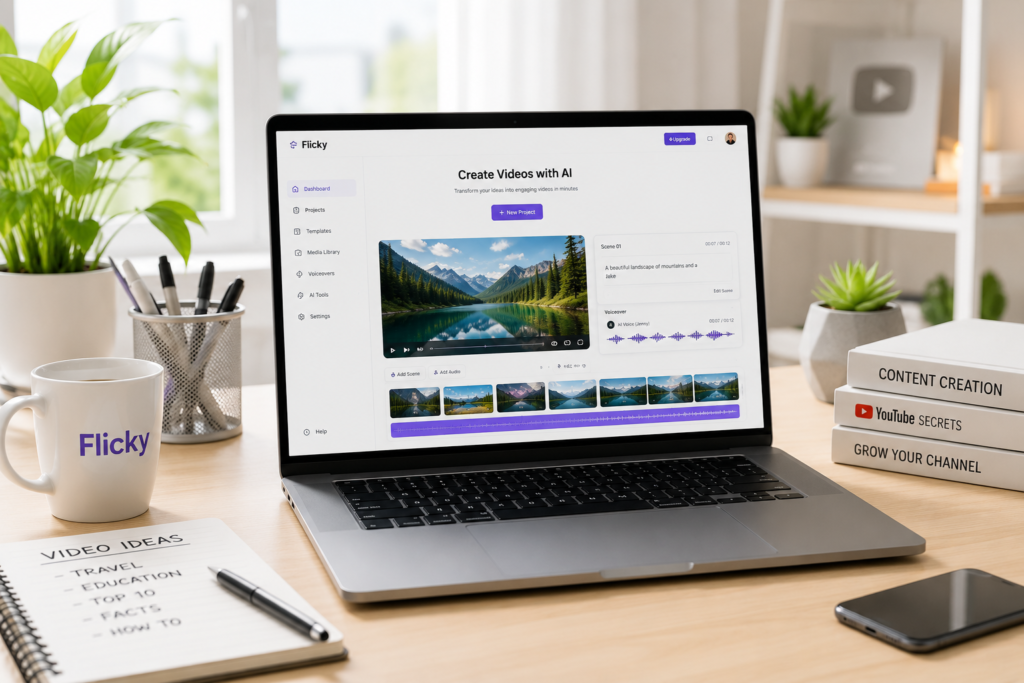
Instead of recording footage, editing clips, and assembling everything manually, you can generate a full video from a script in minutes. This is exactly what platforms like Flicky are built for.
But here’s the problem.
Most tools look impressive at first, but once you start using them, limitations appear — repetitive visuals, weak structure, or lack of control.
So the real question is not “does Flicky work?”
It’s – Is it actually useful for building a YouTube channel?
What Is Flicky?
Flicky is an AI-powered video generator that converts text into video.
You provide:
- a script
- or a blog/article
And the platform:
- splits it into scenes
- adds stock footage
- generates voiceover
- creates subtitles
The goal is to simplify video production into a single workflow.
What Flicky Actually Does Well
Before getting into limitations, важно понять, где этот инструмент реально полезен.
Flicky is strongest in automation-heavy tasks. It reduces the time needed to create basic video structure.
In practice, it works best for:
- Turning scripts into videos quickly
Instead of manually searching for clips, Flicky automatically selects visuals and builds scenes based on your text. - Creating faceless YouTube content
It’s especially useful for channels that rely on narration rather than on-camera presence. - Testing content ideas at scale
You can produce multiple videos quickly and see what performs.
This makes it a good tool for speed — but not necessarily for quality.
Core Features Explained
Flicky combines several features into one platform. Here’s how they actually work.
Text-to-Video Generation
This is the main feature.
You input a script, and Flicky automatically creates a video by:
- dividing text into scenes
- matching visuals
- structuring timeline
The result is a basic video draft.
However, the quality depends heavily on your script. Poor structure leads to poor scene matching.
AI Voiceovers
Flicky includes built-in voice generation.
This allows you to:
- avoid recording
- generate narration instantly
- keep everything inside one tool
But compared to dedicated tools like ElevenLabs, the voice quality is usually less natural.
Subtitles and Timing
The platform automatically adds captions and syncs them with the voiceover.
This is useful because subtitles:
- increase retention
- improve accessibility
- are essential for Shorts
Media Library
Flicky pulls visuals from stock libraries.
This means you don’t need to:
- search for footage manually
- download assets
But this is also where repetition becomes noticeable.
Flicky vs Other AI Video Tools
Чтобы понять реальную ценность, важно сравнить.
| Tool | Best For | Strength | Weakness |
|---|---|---|---|
| Flicky | Speed | Automation | Repetitive visuals |
| Pictory | Structure | Clean videos | Less flexible |
| InVideo | Beginners | Easy to use | Generic output |
| CapCut | Editing | Full control | Manual work |
When You Should Use Flicky
Flicky makes sense in specific scenarios.
You should consider it if:
- You want to produce content fast
Speed is the main advantage. - You run a faceless channel
Especially for:- AI content
- facts
- educational videos
- You are testing niches
It allows rapid experimentation.
When Flicky Is Not Enough
Flicky is not a complete solution.
You will run into problems if:
- You want unique, high-quality videos
The output can look similar across videos. - You skip editing
Raw AI videos often feel generic. - You rely only on automation
This leads to low retention.
Common Mistakes to Avoid
Many creators fail with tools like Flicky not because the tool is bad, but because they use it incorrectly.
The most common issues are:
- Publishing videos without editing
Even small adjustments improve quality significantly. - Using weak scripts
AI cannot fix poor structure. - Overproducing low-quality content
Quantity without quality does not work on YouTube anymore.
Simple Workflow Using Flicky
If you want to use Flicky effectively, keep the workflow simple:
- Write or generate a script
- Create video draft in Flicky
- Export and edit in CapCut
- Improve pacing and visuals
- Upload and test
This combination gives much better results than relying on Flicky alone.
Final Thoughts
Flicky is not a “complete YouTube solution.”
It is a speed tool.
Used correctly, it can:
- save time
- increase output
- simplify production
Used incorrectly, it produces:
- repetitive videos
- low engagement
- poor retention
The difference comes down to how you use it.
Affiliate Disclosure
Some links in this article are affiliate links. This means we may earn a commission if you choose to use them, at no extra cost to you.
We only recommend tools that are actually used in real workflows.