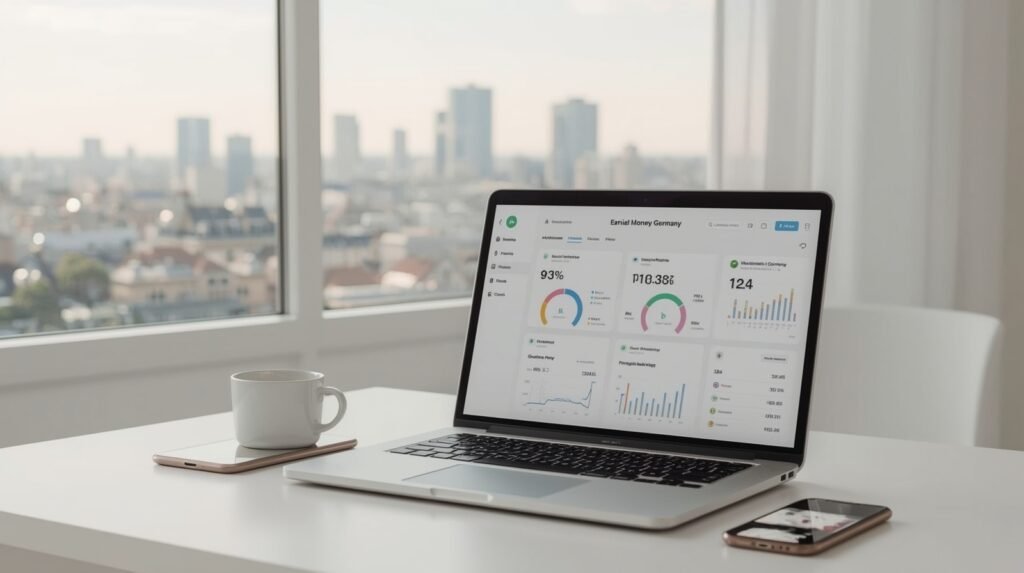
Time tracking is not just about measuring hours. For freelancers, it directly affects income, pricing, and workload management. Without proper tracking, it is almost impossible to understand how long tasks actually take, which clients are profitable, and where time is being wasted. This guide breaks down the best time tracking tools for freelancers based on real use cases, not generic descriptions.
Why Time Tracking Matters for Freelancers
Freelancers typically underestimate or overestimate their work time. This leads to:
- underpricing services
- working more hours than planned
- missing deadlines
- losing profitability
Tracking time solves these issues by providing real data instead of assumptions.
What to Look for in a Time Tracking Tool
Before choosing a tool, focus on practical criteria:
- automatic vs manual tracking
- reporting and analytics
- integrations with other tools
- ease of use
- free vs paid limitations
A complex tool is useless if you don’t use it consistently.
Best Time Tracking Tools (Detailed Comparison)
| Tool | Best For | Free Plan | Key Feature | Link |
|---|---|---|---|---|
| Clockify | Beginners | Yes | Unlimited tracking | https://clockify.me |
| Toggl Track | Simplicity | Yes | One-click timer | https://toggl.com |
| RescueTime | Productivity analysis | Limited | Automatic tracking | https://www.rescuetime.com |
| Harvest | Client billing | Trial | Invoicing + tracking | https://www.getharvest.com |
1. Clockify — Best Free Option
Clockify is one of the most popular tools for freelancers starting out.
Key advantages:
- completely free core features
- unlimited projects and tracking
- simple interface
How freelancers use it:
- track time per client
- categorize tasks
- generate weekly reports
Limitation:
- interface is basic
- advanced reporting requires paid plan
👉 Best for: beginners who need a reliable free solution.
2. Toggl Track — Best for Simplicity
Toggl is designed for speed and ease of use.
Key advantages:
- one-click time tracking
- clean UI
- browser extensions
Practical use:
Freelancers often use Toggl when switching between tasks frequently, because it requires minimal effort to start and stop tracking.
Limitation:
- fewer features in free plan compared to Clockify
👉 Best for: freelancers who want minimal setup.
3. RescueTime — Best for Automatic Tracking
Unlike manual trackers, RescueTime works in the background.
Key advantages:
- tracks activity automatically
- shows how time is actually spent
- identifies distractions
Practical value:
This tool is useful for understanding:
- how much time goes to real work
- how much is lost to distractions
Limitation:
- less control over specific client tasks
- better for analysis than billing
👉 Best for: improving productivity, not invoicing.
4. Harvest — Best for Client Work and Billing
Harvest combines time tracking with invoicing.
Key advantages:
- track time + send invoices
- integrate with payment systems
- detailed reports
Practical use:
Freelancers working with clients on hourly rates can:
- track time
- convert it into invoices
- send directly to clients
Limitation:
- limited free plan
- better suited for paid users
👉 Best for: freelancers with regular clients.
Real Comparison (When to Use What)
| Situation | Best Tool |
|---|---|
| Just starting freelancing | Clockify |
| Need simple tracking | Toggl |
| Want to analyze productivity | RescueTime |
| Work with paying clients | Harvest |
Example Workflow (Real Use Case)
A freelancer working with 2–3 clients can use:
- Clockify → track time
- Google Drive → store files (https://drive.google.com)
- Notion → manage tasks (https://www.notion.so)
Daily workflow:
| Step | Action |
|---|---|
| 1 | Start timer before work |
| 2 | Assign task to project |
| 3 | Stop timer after task |
| 4 | Review daily report |
This creates visibility and control over work.
Common Mistakes
- not tracking small tasks
- forgetting to start/stop timer
- tracking inconsistently
- focusing on hours instead of output
Tracking only works if used daily.
Key Insight (Important)
Time tracking is not about control — it is about:
👉 understanding where your time goes
👉 improving pricing
👉 increasing efficiency
Conclusion
The best time tracking tool depends on your workflow, not popularity. Clockify is ideal for beginners, Toggl for simplicity, RescueTime for behavior analysis, and Harvest for client billing. The most important factor is consistency. A simple tool used daily is more effective than a complex system used occasionally.