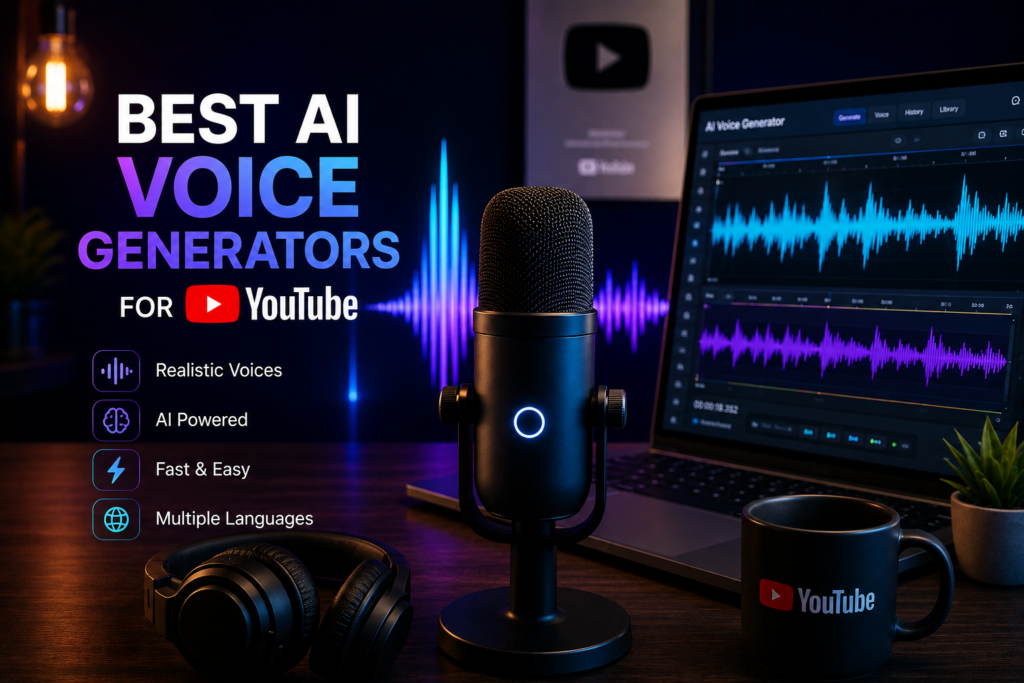
If you’re creating YouTube content without showing your face, your voice becomes the most important element of your videos.
Viewers might tolerate average visuals or simple editing, but they will immediately notice poor audio. A robotic or unnatural voice makes content feel low quality, and most people will click away within seconds.
AI voice generators solve this problem — but only if you use the right tools and understand how they actually work.
In this guide, you’ll learn:
- what makes a good AI voice generator
- which tools are worth using in 2026
- how to choose the right one for your content
- and how to avoid the mistakes that ruin most AI voiceovers
What Makes a Good AI Voice Generator?
Before choosing a tool, it’s important to understand what separates a good AI voice from a bad one. Most beginners focus on features, but in reality, only a few factors actually matter.
Natural Sound
The most important factor is how natural the voice sounds.
A good AI voice should feel like a real person speaking, with:
- smooth pacing
- natural pauses
- subtle breathing
- variation in tone
If the voice sounds flat or robotic, viewers will lose interest quickly, even if the content itself is valuable.
Control Over Delivery
It’s not enough to generate speech — you need to control how it’s delivered.
Better tools allow you to adjust:
- pauses between phrases
- emphasis on specific words
- emotional tone
Without this control, all voiceovers sound the same, which makes your videos less engaging and harder to differentiate.
Consistency
Using the same voice across all your videos helps build recognition.
If you switch voices frequently:
- your content feels inconsistent
- viewers don’t connect with your channel
- your brand becomes weaker
A good tool should allow you to reuse or clone voices easily.
Language and Scalability
If you plan to scale your content, multilingual support becomes important.
The ability to:
- generate voiceovers in multiple languages
- keep the same voice identity
- localize content quickly
can significantly increase your reach without multiplying your workload.
Comparison of the Best AI Voice Generators
| Tool | Natural Sound | Control | Best Use Case | Main Limitation |
|---|---|---|---|---|
| ElevenLabs | Excellent | Advanced | YouTube, storytelling | Paid |
| PlayHT | Good | Medium | Bulk content | Less expressive |
| Murf AI | متوسط | Basic | Business videos | Limited emotion |
| WellSaid Labs | Very good | Good | Professional production | Expensive |
| Amazon Polly | Low | Basic | Technical use | Robotic output |
Detailed Review of AI Voice Tools
ElevenLabs
ElevenLabs is currently considered one of the most advanced AI voice generators available, especially for content creators.
What makes it stand out is the level of realism. The voices include natural pauses, emotional tone, and subtle imperfections that make them sound human rather than synthetic.
It also offers voice cloning, which allows you to create a consistent voice identity across your channel. This is particularly useful if you want to build a recognizable brand without recording your own voice.
However, it’s not completely “plug and play.” To get the best results, you still need to structure your script properly and adjust delivery settings.
Best for: YouTube videos, storytelling, high-retention content
Weakness: requires setup and is not fully free
PlayHT
PlayHT is a solid alternative that focuses more on scale and automation.
It offers a large library of voices and integrates well into workflows where you need to generate a lot of content quickly. This makes it useful for bulk production or programmatic content.
However, the main limitation is that the voices are slightly less natural compared to higher-end tools. They work well for informational content, but not as well for emotional or narrative-driven videos.
Best for: automation, large-scale content production
Weakness: less expressive voice quality
Murf AI
Murf AI is designed with simplicity in mind, which makes it accessible for beginners.
It works well for structured content like presentations, tutorials, or corporate videos. The interface is easy to use, and you can generate voiceovers quickly without much setup.
The downside is that the voices tend to sound more “neutral” or corporate, which can reduce engagement in entertainment or storytelling content.
Best for: business videos, educational content
Weakness: limited emotional range
WellSaid Labs
WellSaid Labs targets professional users who need high-quality, polished voiceovers.
It provides clean and consistent output, which makes it suitable for commercial projects, ads, and media production. The voices are stable and reliable, even for longer scripts.
However, the pricing is significantly higher, which makes it less suitable for beginners or small creators.
Best for: agencies, professional production
Weakness: expensive
How to Choose the Right AI Voice Generator
Choosing the right tool depends on your goal.
If your main focus is YouTube growth and engagement, prioritizing natural sound is more important than having a large number of features.
- For high-quality YouTube content → use ElevenLabs
- For automation and scale → consider PlayHT
- For business or simple videos → Murf AI is enough
The mistake most people make is choosing based on price instead of performance. In most cases, better voice quality leads to better retention, which is far more valuable.
Common Mistakes to Avoid
Using Long and Complex Sentences
Many creators write scripts the same way they write articles, using long and complex sentences. This approach does not work well for AI voice generation.
When sentences contain multiple ideas or clauses, the AI often reads them with incorrect pacing or emphasis. This results in speech that feels unnatural and harder to follow.
To fix this, keep your sentences short and direct. Each sentence should communicate one idea clearly. This improves both delivery and listener comprehension.
Skipping Manual Adjustments
Another common mistake is generating the voiceover and using it without any editing.
Even the best AI tools produce imperfect results on the first try. Without adjustments, the voice may sound flat, rushed, or slightly unnatural.
Take time to refine:
- pauses
- tone
- emphasis
Small improvements here can significantly increase the overall quality.
Ignoring Script Quality
AI tools cannot fix a poorly written script.
If the script is unclear, boring, or repetitive, the final voiceover will reflect that. Many beginners rely too much on automation and underestimate the importance of writing.
A strong script is the foundation of good content — AI simply delivers it.
Final Thoughts
AI voice generators have made it easier than ever to create YouTube content without recording your own voice.
However, the tool itself is only part of the equation. The real difference comes from how you structure your script, control delivery, and refine the output.
At the moment, ElevenLabs offers the best balance between realism and control for YouTube creators.
But regardless of the tool you choose, the principle remains the same:
Better input → better output.
FAQ
What is the best AI voice generator for YouTube?
The most realistic option currently is ElevenLabs, known for natural speech and voice cloning.
Can AI voiceovers be monetized on YouTube?
Yes, as long as the content is original and provides value to viewers.
How do I make AI voice sound natural?
Use short sentences, add pauses, and manually adjust tone and pacing.
Are AI voices better than real voices?
Not necessarily. AI voices are faster and scalable, but real voices can still feel more personal in some cases.
Affiliate Disclosure
Some links in this article are affiliate links. This means we may earn a commission if you choose to use them, at no additional cost to you.
We only recommend tools that are commonly used in real-world content workflows.