YouTube automation with AI is one of the fastest-growing ways to build online income streams — but most people approach it the wrong way.
They focus on tools instead of systems.
In reality, success comes from combining:
- the right niche
- a scalable workflow
- AI tools for speed
In this guide, you’ll learn how AI YouTube automation actually works in 2026, how to build a faceless channel, and how to turn it into a scalable asset.
What Is AI YouTube Automation?
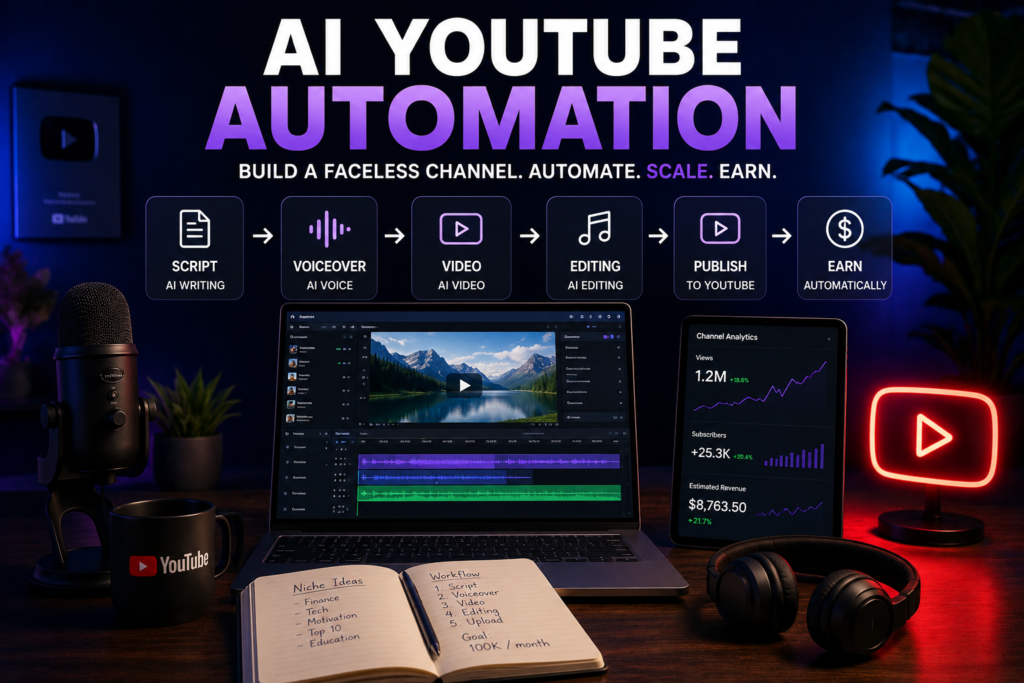
AI YouTube automation is the process of creating and scaling YouTube content using artificial intelligence instead of manual production.
This usually includes:
- AI script generation
- AI voiceovers
- AI video creation
- automated editing workflows
Most automation channels are faceless, meaning:
- no personal branding
- no filming
- no on-camera presence
Why Faceless YouTube Channels Are Growing
Faceless channels are popular because they remove the biggest bottlenecks:
No Recording Required
No need for cameras, lighting, or voice recording.
Faster Production
You can create multiple videos per week.
Easier Scaling
Outsource or automate most tasks.
Lower Costs
AI replaces expensive production steps.
How AI YouTube Automation Works (Step-by-Step)
1. Choose a Niche
This is where most people fail.
Avoid:
- general content
- highly competitive topics
Focus on:
- educational content
- storytelling
- finance, tools, or tech
- problem-solving niches
*See: Best Niches for AI YouTube Channels
2. Generate Scripts with AI
Use AI tools to:
- generate video ideas
- write scripts
- structure content
Good scripts are:
- simple
- engaging
- easy to narrate
3. Create AI Voiceovers
Voiceovers are critical for retention.
Tools like ElevenLabs allow you to:
- generate realistic narration
- control tone and pacing
- create consistent voice branding
4. Generate or Edit Video Content
You can:
- use stock footage
- generate AI videos
- combine clips with narration
Tools like Flicky automate video creation from scripts.
* See: Best AI Voice Generators for YouTube (2026 Guide)
5. Add Music, Captions, and Editing
To improve retention:
- add background music
- include subtitles
- cut unnecessary pauses
This step separates low-quality content from high-performing videos.
6. Upload and Optimize
YouTube SEO still matters.
Focus on:
- titles
- thumbnails
- retention
Automation doesn’t replace strategy.
Best AI Tools for YouTube Automation
Voice Generation
Video Creation
- Flicky
Script Writing
- ChatGPT
Editing & Captions
- CapCut
- Premiere Pro
*See: Best AI Tools for YouTube
How to Make Money with AI YouTube Channels
Ad Revenue
Main income source once monetized.
Affiliate Marketing
Promote tools and products in your niche.
Sponsorships
Brands pay for exposure.
Digital Products
Sell templates, courses, or guides.
How Long Does It Take to See Results?
Realistically:
- 1–2 months → learning phase
- 2–4 months → first traction
- 6+ months → monetization
Anyone promising faster results is oversimplifying.
Common Mistakes to Avoid
1. Low-Quality Scripts
AI-generated doesn’t mean good.
2. Robotic Voiceovers
Bad audio kills retention.
3. No Niche Focus
General content doesn’t grow.
4. Over-Automation
Fully automated channels often perform worse.
Is AI YouTube Automation Worth It?
Yes — but only if treated as a system, not a shortcut.
If you:
- test niches
- improve scripts
- optimize retention
you can build a scalable content asset.
If you just generate random AI videos — it won’t work.
Final Thoughts
AI has lowered the barrier to entry for YouTube, but it has also increased competition.
The advantage now is not access to tools — it’s execution.
Creators who combine:
- strong niches
- consistent output
- smart use of AI
will outperform everyone else.
FAQ
What is AI YouTube automation?
AI YouTube automation is the process of creating videos using AI tools for scripts, voiceovers, and video editing.
Can you monetize AI YouTube channels?
Yes, as long as the content is original and provides value.
Are faceless YouTube channels profitable?
Yes, many creators build profitable channels without showing their face.
What tools are used for YouTube automation?
Popular tools include ElevenLabs for voiceovers and Flicky for video creation.
Affiliate Disclosure
Some links in this article are affiliate links. This means we may earn a commission if you choose to use them, at no additional cost to you.
We only recommend tools that are commonly used in real-world content workflows.